Section: Module 1: Lesson 3: Navigating SPSS Sessions | Intro to SPSS | NextGenU.org
-
Student Learning Outcomes:
Upon completion of this lesson, you will be able to:- Start and end an SPSS session and know when and how to get help while using the application.
-
Students mustMark as done
Required Learning Resources and Activities
-
Students mustMark as done
Read the entire article. (2 minutes)
90.8 KB -
Students mustView
Objective:
In this activity, you will apply the knowledge and skills acquired in Module 1. This involves explaining the purpose of SPSS, efficiently navigating its interface, and initiating and terminating an SPSS session.
Instructions:
- Launch the SPSS software on your computer.
- Describe what each of the six windows in the SPSS interface is used for. Use screenshots to illustrate your points.
- Import a simple dataset (you may create a small one if needed). Explain how each window of the SPSS interface contributes to the process of data importation, analysis, and output generation.
- Data Editor Window.
- Output Viewer.
- Pivot Table Editor.
- Chart Editor.
- Text Output Editor.
- Syntax Editor.
- Conduct a simple descriptive analysis (like mean or frequency) on one of your variables and generate an output.
- Modify the output using the Pivot Table Editor and Chart Editor. Explain the changes you made and why.
- Save your work in SPSS by creating a new dataset.
- Close the dataset, and then exit SPSS. Explain the steps you took to accomplish this.
- Finally, explore the Help Topics in SPSS. Find information on how to calculate the median in SPSS and provide a brief explanation.
Deliverable:
For this activity, submit a document that:
- Explains what SPSS is and what it is used for.
- Provides a walkthrough of your process, with screenshots and accompanying explanations.
- Includes a brief summary of how to calculate the median in SPSS based on the Help Topics information.
- Remember, this activity is designed to demonstrate your understanding of SPSS's key features and functionality.
By completing this activity, you will meet the following learning outcomes:
- Explain what SPSS is and what it is used for.
- Navigate and explain the functions of the six interface windows of SPSS.
- Start and end an SPSS session, and know when and how to get help while using the application.
Note: Be aware of privacy and confidentiality obligations when using and sharing data. Ensure the data you use for this exercise is either fabricated or anonymized to eliminate any identifying details.
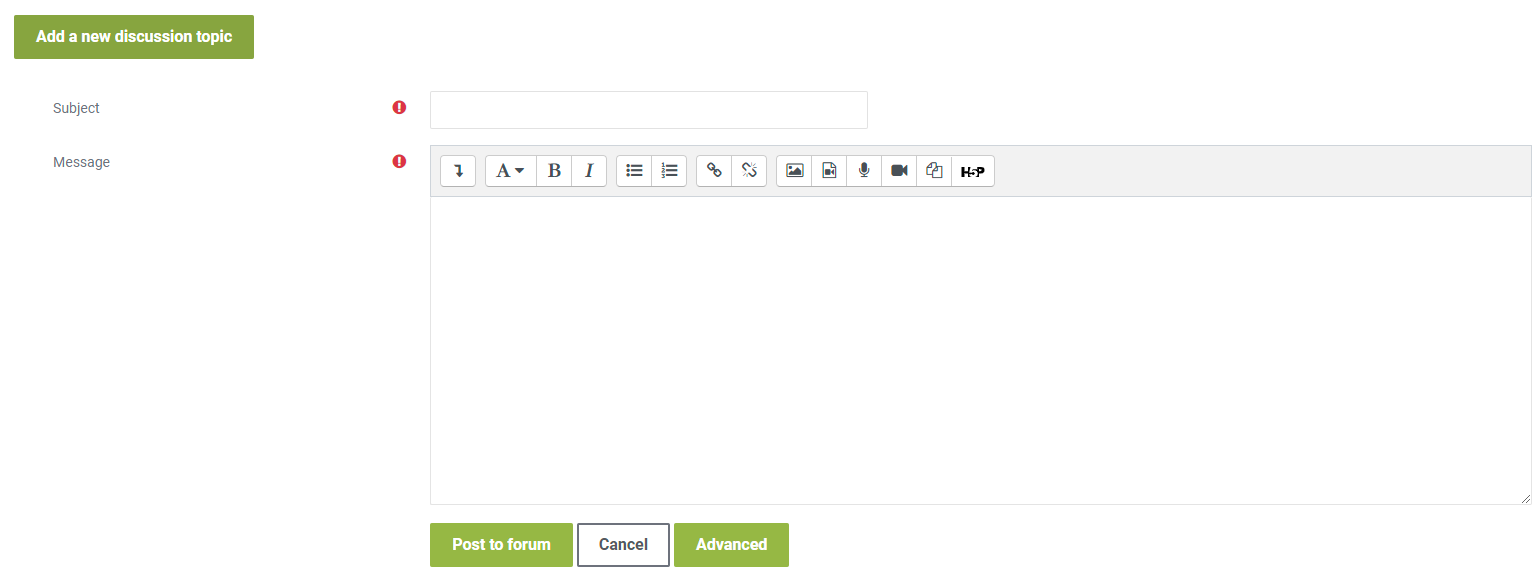
To share your work, click on the “Add a new discussion topic” button at the bottom of this post, then click on the “Advanced” button as shown in the picture below.
Drag and drop your completed template inside the “Attachment” as shown in the picture below and click on “Post” after you have uploaded your completed template.
To complete this activity, you will need to reply to at least one post made by your peers respectfully and professionally. Be sure that your post engages your peers' ideas by providing feedback on their comments, sharing ideas of other potential problems/solutions, or asking thought-provoking questions. If a peer comments on your posting, please reply. To post a reply, click “Reply” on a particular discussion list below, write your feedback, and then click on “Post to forum.”
-
Quiz: Module 1
To access the quiz, click on the name of the quiz provided above. On the following screen, click the "Preview quiz now" button to respond to the questions.
TO PASS THIS QUIZ, YOU MUST OBTAIN A SCORE OF 80%