Section: Module 2: Lesson 3: Cleaning a Dataset in SPSS | Intro to SPSS | NextGenU.org
-
Student Learning Outcomes:
Upon completion of this lesson, you will be able to:- Clean and prepare a dataset for analysis.
-
Students mustMark as done
Required Learning Resources and Activities
-
Students mustMark as done
Watch the entire presentation. (15 minutes)
1.2 MB -
Module 2: Practical Exercise on SPSS Forum
Objective:
Apply your learning from Module 2 to a practical SPSS task. You will demonstrate your understanding of importing and inputting data, defining variable properties, cleaning data, and saving your work within SPSS.
Instructions:
- Launch the SPSS software on your computer.
- Import an Excel data set (you may use one of your own or create one for this task).
- Familiarize yourself with the default variable names and properties assigned by SPSS.
- Use the Variable View tab and apply the appropriate guidelines to rename your variables.
- Reflect on the properties of each variable and make adjustments where necessary. These properties include type, width, decimal places, labels, values, and measure.
- Review your data in the Data View tab. Are there any necessary adjustments that need to be made to ensure your dataset is clean and ready for analysis?
- Save your work by going to File > Save As. Make sure it is saved as a .sav file (the usual format for datasets in SPSS).
- Test your saved file by attempting to open it from the File > Open > Data pathway.
Deliverable:
For this activity, you will submit screenshots of your process, accompanied by a brief explanation of each step. This documentation can be in the form of a Word document or a PDF.
This activity will help you practically apply the following learning outcomes:
- Inputting data into SPSS by importing from outside sources or using an existing data file.
- Saving new or pre-existing data files in SPSS.
- Cleaning and preparing a dataset for analysis
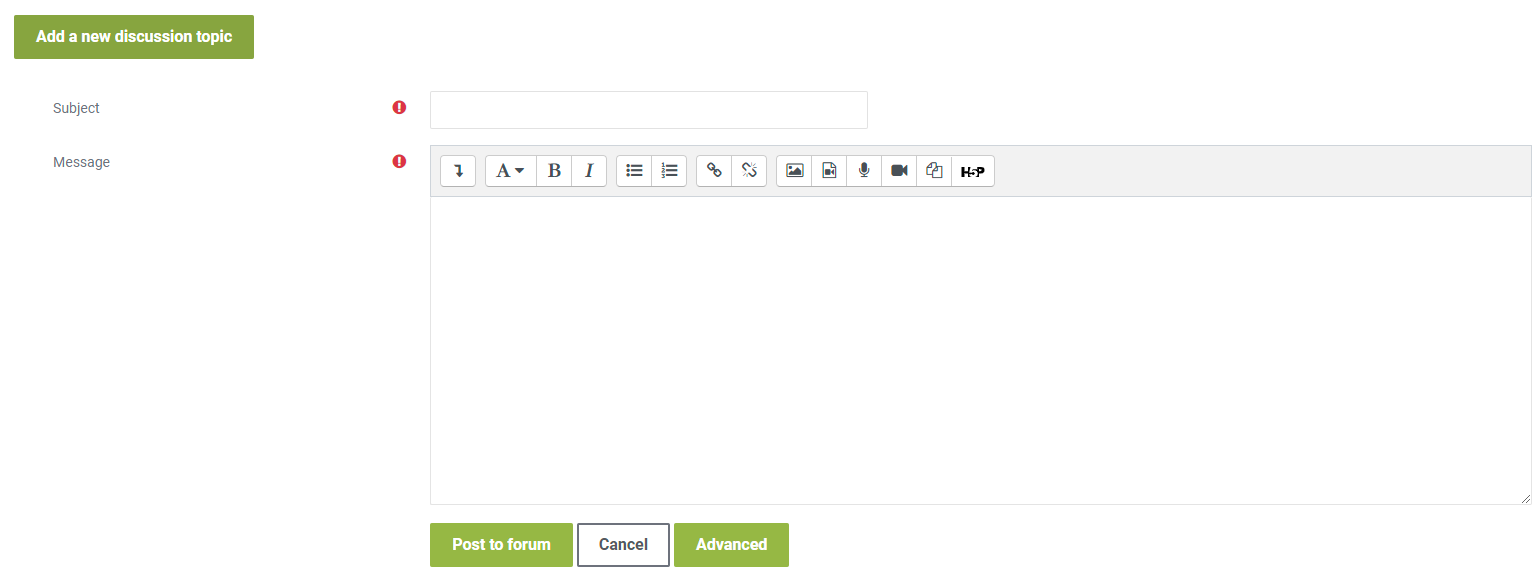
To share your work, click on the “Add a new discussion topic” button at the bottom of this post, then click on the “Advanced” button as shown in the picture below.
Drag and drop your completed template inside the “Attachment” as shown in the picture below and click on “Post” after you have uploaded your completed template.
To complete this activity, you will need to reply to at least one post made by your peers respectfully and professionally. Be sure that your post engages your peers' ideas by providing feedback on their comments, sharing ideas of other potential problems/solutions, or asking thought-provoking questions. If a peer comments on your posting, please reply. To post a reply, click “Reply” on a particular discussion list below, write your feedback and then click on “Post to forum.”
-
Quiz: Module 2
To access the quiz, click on the name of the quiz provided above. On the following screen, click the attempt quiz button to view the case studies and respond to the questions.
TO PASS THIS QUIZ, YOU MUST OBTAI A SCORE OF 80%